Welcome to "PixPretty"!
PixPretty is an AI-powered image processing software designed for commercial photography. It automatically analyzes each photo to deliver professional-level post-processing. From retouching to image selection and delivery, we streamline the entire workflow so you can focus on creativity.
Currently, the desktop version supports Windows clients.
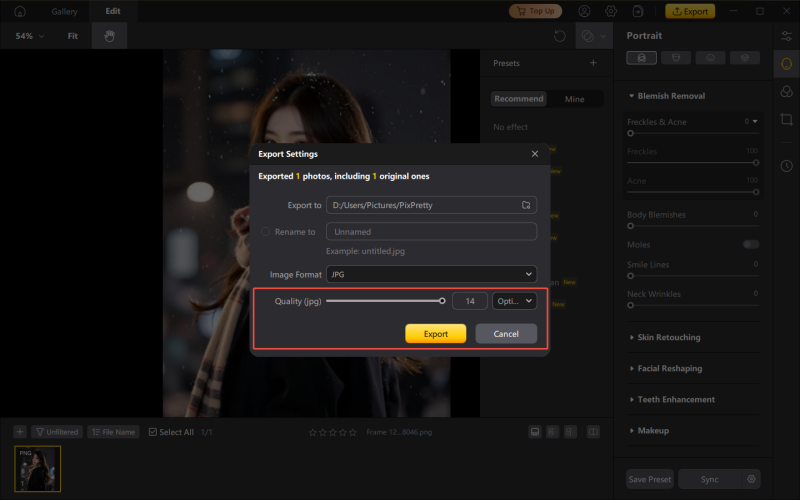
By using PixPretty's features, the details and overall look of your images become more refined. However, due to differences in encoding formats and algorithms, the exported image file size may vary. You can adjust the image quality when exporting. Follow the steps below:
1. Click the "Export" button in the upper-right corner of the software.
2. Locate the "Quality" option and enter a value to adjust the image quality (up to 14).
3. The higher the quality value, the better the image quality—and the larger the file size after export.
The quality setting will be saved and automatically applied for future exports, so you don’t need to change it every time.